
15 SAT Test Day Mistakes (2026) and How to Fix Them
Miyagi Labs ·
15 SAT Test Day Mistakes (2026) and How to Fix Them

TL;DR
The most damaging SAT test day mistakes are usually preventable: arriving late, bringing an unprepared device, skipping sleep, rushing Module 1, panicking when Module 2 gets harder, getting stuck on one question, misusing Desmos, or leaving questions unanswered. The best defense is simple: prepare your device early, arrive with a time buffer, protect your sleep, and practice the digital SAT under realistic timing conditions.
The digital SAT is 2 hours and 14 minutes long, spans 98 questions across 4 adaptive modules, and is taken on a laptop or tablet running College Board’s Bluebook app. Over 2.1 million students sit for it annually, with a national average score hovering around 1029. Those numbers mean millions of students walk into test centers every year, and a huge percentage of them lose points to mistakes that have nothing to do with whether they studied enough.
Common SAT test day mistakes fall into three buckets: what you do the night before, what you do the morning of, and what you do during the actual test. The digital format adds tech failures, adaptive scoring traps, and Desmos calculator pitfalls that generic “test day tips” articles completely ignore.
This article fixes that. Fifteen mistakes, organized in the order you’d encounter them, each with a specific remedy.
If you want to understand the digital SAT format before reading on, start there. Otherwise, let’s get into it.
Quick Answer: What Are the Most Common SAT Test Day Mistakes?
The most common SAT test day mistakes are arriving late, failing to prepare your Bluebook device, getting too little sleep, rushing Module 1, panicking when Module 2 becomes harder, spending too long on one question, misusing Desmos, leaving questions blank, and wasting the 10-minute break. To avoid them, prepare your device at least 30 days ahead, complete exam setup 5 days before the test, arrive early, answer every question, and practice the digital SAT under realistic conditions.
At-a-Glance: 15 SAT Test Day Mistakes
# | Mistake | Phase | Risk | Quick Fix |
|---|---|---|---|---|
1 | Cramming new material | Night before | Anxiety and confusion | Review your error log, then stop |
2 | Skipping sleep | Night before | Reduced focus and recall | Protect 7–8 hours of sleep |
3 | Not preparing Bluebook | Night before | Test-day technical failure | Complete setup before test day |
4 | Not packing your essentials | Night before | Delays and stress | Pack everything before bed |
5 | Arriving late | Morning | Potentially catastrophic | Build in an early-arrival buffer |
6 | Skipping breakfast or eating poorly | Morning | Energy/focus problems | Eat a familiar balanced meal |
7 | Bringing an unprepared device | Morning | Potentially catastrophic | Charge, update, and verify it |
8 | Absorbing other students' anxiety | Morning | Increased test anxiety | Avoid last-minute score talk |
9 | Rushing Module 1 | During test | Adaptive-routing consequences | Prioritize accuracy |
10 | Panicking when Module 2 gets harder | During test | Rushed errors | Treat the difficulty change calmly |
11 | Leaving questions blank | During test | Guaranteed missed opportunity | Answer every question |
12 | Getting stuck on one question | During test | Time loss | Flag it and move on |
13 | Misusing Desmos | During test | Time loss and errors | Practice when to use it |
14 | Wasting the 10-minute break | Break | Lost recovery time | Reset instead of comparing answers |
15 | Not reviewing flagged questions | During test | Fixable errors | Reserve time before submission |
SAT Test Day Checklist: The Short Version
Before leaving for the test center, make sure you have:
A fully charged device with Bluebook installed and exam setup completed
Your admission ticket
An acceptable physical photo ID
A pencil or pen for scratch work
An approved calculator, if you want to use a handheld calculator
Your College Board username and password
A charging cable or portable charger
Water and a snack for the break
A backup testing device if one is available to you
Also check your test center information and make sure you know the route before leaving home.
Important: College Board provides scratch paper at the test center, so do not bring your own paper. Phones, smartwatches, and other prohibited electronic devices cannot be accessed during testing or breaks.
Night-Before Mistakes
1. Cramming New Material the Night Before
The temptation is real: one more chapter, one more concept, one more practice set. But material crammed in the final hours rarely sticks, and the process itself can spike your anxiety heading into the next morning. Practitioners on the r/Sat subreddit consistently warn against this. One student put it bluntly: “I studied a bunch of new grammar rules the night before and second-guessed myself on every single Reading and Writing question.”
The problem isn’t just wasted time. New, half-learned information creates confusion. You start doubting things you actually knew well, because now they’re competing with fragmented new knowledge.
The fix: Open your personal error log from SAT practice questions you’ve already worked through. Spend 20 to 30 minutes reviewing mistakes you’ve made before, patterns you’ve already identified. Then close the books. That’s it. Your job tonight is consolidation, not acquisition.
2. Skipping Sleep for “One More Hour” of Study
Sacrificing sleep seems like extra study time, but it drastically impairs memory recall, attention, and reasoning. Even one night of poor sleep can measurably hurt both your Math and Reading and Writing performance. The SAT demands sustained focus across 2 hours and 14 minutes. Sleep deprivation makes the last 30 minutes of each section feel like running through sand.
Reddit’s SAT community treats this as near-universal advice. Multiple threads in the weeks before each test date feature students asking, “Should I stay up and review?” The top-voted reply is almost always some version of “Go to bed.”
The fix: Get 7 to 8 hours of sleep. Set two alarms, 5 minutes apart, with different sounds. If you’re anxious and can’t fall asleep, that’s normal. Lie still with your eyes closed. Even resting without full sleep is better than staring at a textbook until 2 AM.
3. What devices can you use for the digital SAT?
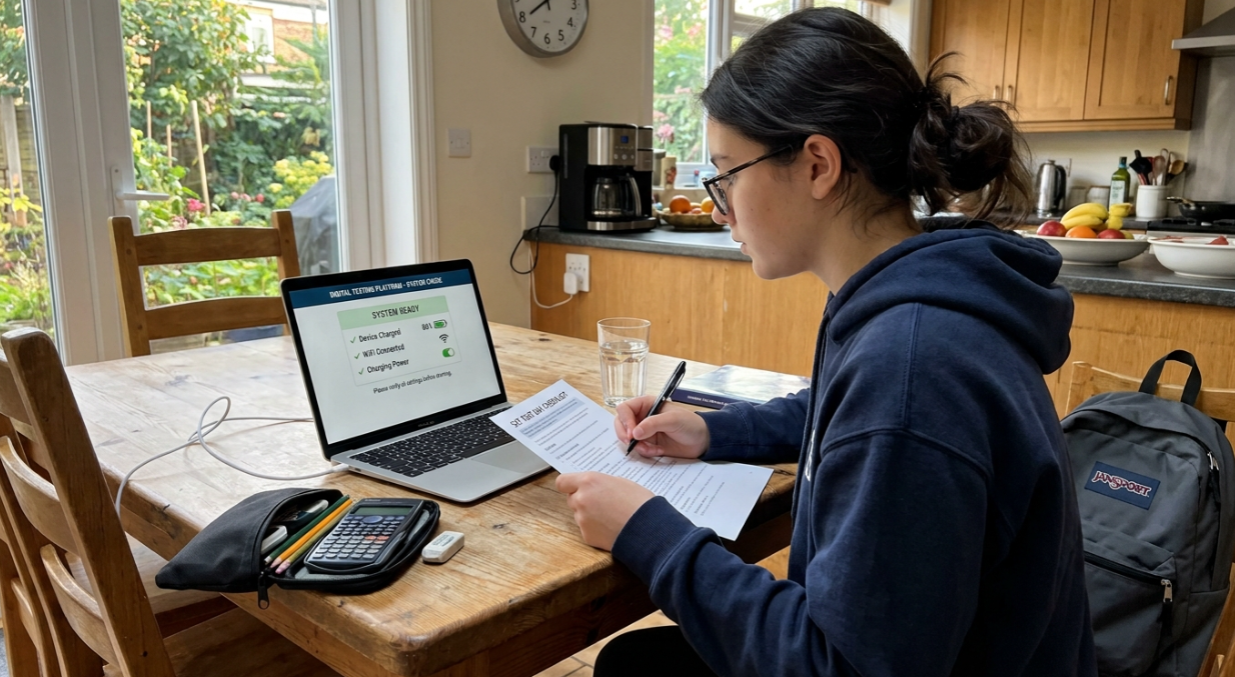
Bluebook currently supports Windows and Mac computers, iPads, and school-managed Chromebooks. Personal Chromebooks and phones cannot be used for the SAT.
For the 2026–27 testing year, College Board requires Windows 11 24H2 or later on Windows devices. School-managed Chromebooks must have verified mode enabled, and Bluebook requires at least 1 GB of free storage on Windows, Mac, and Chromebook devices, or 250 MB on iPads.
College Board recommends starting device preparation at least 30 days before test day, completing exam setup 5 days before the test, and performing a final device check on test morning.
4. Not Packing Your Bag the Night Before
Scrambling to find your ID, charger, or admission ticket at 7 AM creates exactly the kind of stress that compounds throughout the day. It also introduces the risk that you simply forget something critical.
Your SAT test day packing checklist:
Fully charged testing device with Bluebook installed
Printed admission ticket (preferred over digital)
Acceptable photo ID
Device charger or portable power bank
Pencils or pens (for scratch work on provided paper)
An approved calculator (backup, even though Desmos is built in)
Water bottle
Snacks for the break (granola bar, banana, trail mix)
For a full breakdown of what to bring, check out the complete test day checklist.
The fix: Pack your bag the night before. Set it by the door. Check off every item on this list. The goal is to make your morning as automatic as possible.
Morning-Of Mistakes
1. Arriving Late or With No Time Buffer
Plan to arrive at the test center at least 30 minutes early. This buffer handles unexpected delays: traffic, wrong turns, parking lot confusion, a line at the door. Some test centers close their doors strictly at the start time. If you’re not inside, you don’t test. Test centers have specific arrival and door-closing times, and you generally can't be admitted once testing has started. Check the arrival time on your admission ticket rather than relying on a generic schedule. College Board's current sample Saturday SAT schedule has doors closing at 8:00 a.m., but your test center's schedule may differ.
The fix: Drive the route the day before if it’s unfamiliar. Set your departure time 30 minutes earlier than Google Maps suggests. If a parent or friend is driving you, make sure they know the plan too. A helpful reference: check upcoming SAT test dates so your schedule is locked in well before the morning of.
2. Skipping Breakfast or Eating Something Unfamiliar
The SAT lasts more than two hours, so arriving hungry, dehydrated, or uncomfortable can make it harder to maintain focus. The biggest practical mistake is experimenting with food or caffeine on test morning.
The fix
Eat a familiar breakfast that you know sits well with you. A combination of carbohydrates and protein can be a practical choice, such as oatmeal and fruit, eggs and toast, or yogurt and granola. Drink enough water to feel comfortable, but avoid dramatically changing your normal routine.
The goal is consistency, not a “perfect SAT breakfast.”
3. Bringing a Dead or Incompatible Device
The digital SAT app needs available storage, Wi-Fi access during check-in, and a battery capable of lasting 3 to 4 hours. Outlets may or may not be available at your test center, so you cannot assume you’ll be able to plug in.
This is one of the most preventable SAT test day mistakes, yet students show up with laptops at 15% battery, phones full of photos eating up storage, or devices that haven’t been updated in months.
The fix: Charge your device to 100% overnight. Bring a portable charger just in case. Close all background apps and browser tabs before leaving home. Open Bluebook one final time to confirm it launches without issues. If your device runs Windows 10, confirm it’s still supported for your test date.
4. Catching Other Students’ Anxiety
This sounds soft, but it’s tactically important. When you arrive at the test center, the hallways and waiting areas are full of nervous students. Some are frantically quizzing each other, some are panicking out loud about topics they haven’t reviewed, and that energy is contagious. Once anxiety is triggered, it can escalate quickly during the test, leading to rushed decisions and avoidable errors.
Students on r/Sat regularly describe this phenomenon. One user wrote: “I was feeling fine until I heard two kids in line talking about how hard the October test was, and I walked into the room already stressed.”
The fix: Find a quiet corner. Put in headphones (without music if you want). Do a simple 2-minute breathing exercise: 4 seconds in, 4 seconds hold, 4 seconds out. Avoid hallway chatter about “hard” sections or what topics might appear. Your preparation is your preparation. Other people’s anxiety is not useful information.
During-the-Test Mistakes
1. Rushing Through Module 1
This is the biggest hidden SAT test day mistake, and almost no one talks about it.
The digital SAT is adaptive. Each section (Reading and Writing, Math) has two modules. Your performance on Module 1 determines whether you receive a harder or easier Module 2. A harder Module 2 gives you access to higher scores. An easier Module 2 quietly caps your maximum score, sometimes drastically.
That means careless mistakes in Module 1 aren’t just wrong answers. They’re routing signals that can limit your ceiling for the entire section. Giving away easy points in Module 1 is one of the most expensive things you can do on this test.
Score calculators make this visceral. On one practice test analysis, a student who missed 10 questions in Module 1 and 3 in Module 2 (13 total mistakes) scored a 510. With just two additional mistakes (15 total), the score dropped to 460. Those two extra questions cost 50 points, or 25 points each. The asymmetry is brutal.
For a deeper look at how adaptive scoring works, that breakdown explains the mechanics behind this.
The fix: Treat Module 1 as the highest-stakes module. Do not chase speed at the expense of clean work. Double-check questions that feel “easy,” because those are exactly where careless errors hide. Save your speed for Module 2, where the routing decision has already been made.
The best way to train Module 1 accuracy is to sit through full-length SAT practice tests under real timing conditions. College Board research shows that students who complete 3 or more full-length practice tests score an average of 61.4 points higher than those who skip practice entirely. Realistic reps build the pacing instincts that prevent rushing.
2. Panicking When Module 2 Gets Harder
Here’s a scenario that plays out thousands of times per test administration: a student finishes Module 1, starts Module 2, and immediately notices the questions are harder. Panic sets in. “I must be doing terribly.” They start rushing, second-guessing, spiraling.
The reality is the opposite. A harder Module 2 is a good sign. It means the algorithm determined you performed well on Module 1 and routed you to the higher-difficulty pool, which gives you access to higher scores.
The fix: Before test day, memorize this fact: hard Module 2 = good news. When you notice the difficulty jump, take a deep breath, reset, and stay methodical. The questions are supposed to be harder. You earned the right to face them.
3. Leaving Questions Blank
Since 2016, there has been no penalty for wrong answers on the SAT. Your score is based only on the number of correct answers. A blank response guarantees zero points. A random guess gives you a 25% chance of getting it right. Eliminate one answer choice, and your odds climb to 33%. Eliminate two, and you’re at 50%.
Despite this, students still leave questions blank. Sometimes it’s because they run out of time. Sometimes they think an unanswered question is “safer” than a wrong one. It isn’t. It’s strictly worse.
There’s an additional wrinkle on the adaptive SAT: guessing wildly on Module 1 (rather than engaging thoughtfully with questions) can route you into the easier Module 2, which caps your score. So the strategy is not “guess randomly on everything” but rather “never leave a question blank, and when you must guess, eliminate as many wrong answers as possible first.”
The fix: With 2 minutes left in each module, do a blank sweep. Click through every question you haven’t answered and select something. If you can eliminate even one option, do it. A 33% chance beats 0% every time. Roughly 25% of SAT Math questions (about 11 of 44) are grid-ins where you type your answer, so keep in mind that strategic elimination only applies to multiple-choice items.
4. Getting Stuck on One Hard Question
Every question on the SAT is worth the same number of points. There is no bonus for answering a hard question correctly. If you burn 4 minutes on one brutal problem and then rush past two medium-difficulty questions, you’ve probably traded one right answer for two wrong ones. That’s a losing trade every time.
Students on Reddit describe this as one of the most common in-the-moment SAT test day mistakes. One commenter in r/Sat wrote: “I spent like 5 minutes on question 14 in the math module and ended up guessing on the last three questions. Pretty sure I would have gotten at least two of those right.”
The fix: If you’ve spent more than 90 seconds on a question without clear progress, flag it and move on. The digital SAT has a built-in flagging tool designed exactly for this purpose. Answer every other question first, then return to your flagged items with whatever time remains. Build this instinct by practicing with a deep SAT question bank filtered by difficulty so you know what “hard” looks like before test day.
5. Misusing (or Ignoring) the Desmos Calculator
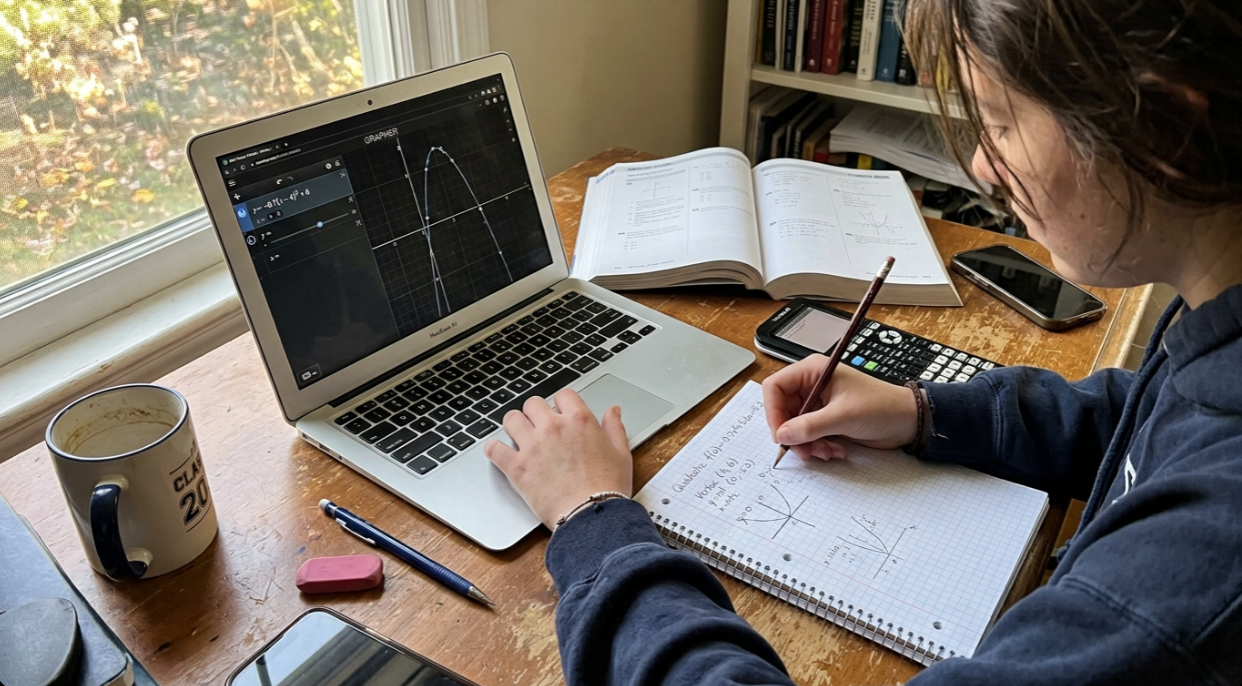
The digital SAT includes an embedded Desmos graphing calculator for the math section. It’s powerful, but power without practice creates problems. Common Desmos mistakes include:
Typing errors: A misplaced negative sign or missing parenthesis gives you a confidently wrong answer. You trust the calculator and move on, never realizing the input was bad.
Degree vs. radian mode: Forgetting to check which mode you’re in is one of the most frequent Desmos errors, and it produces answers that look plausible but are completely wrong.
Over-reliance on simple problems: Using Desmos for basic arithmetic or one-step calculations wastes time. The graph takes seconds to render, and those seconds add up across a 22-question module.
Misreading graphs: Desmos displays intersections, zeros, and features that require interpretation. If you haven’t practiced reading its output, you’ll misidentify solutions.
Ignoring domain constraints: Desmos will happily graph a function beyond its stated domain. If the problem specifies x > 0, Desmos won’t enforce that for you.
The fix: Before test day, practice with the SAT-specific Desmos version. Use it for systems of equations, quadratics, and back-solving from answer choices. For guided walkthroughs, explore Desmos SAT tips and try Desmos practice problems that mirror real SAT question types.
6. Mismanaging the 10-Minute Break
A 10-minute break separates the Reading and Writing section from the Math section. It’s the only scheduled pause in the entire test, and how you use it matters more than most students realize.
The two most common mistakes: pulling out your phone to check social media or texts (which reactivates distractions and can spike anxiety), and comparing answers with other students in the hallway (which accomplishes nothing positive and risks destroying your confidence for the section ahead).
The fix: Use the break with intention. Go to the bathroom. Eat your snack. Drink water. Do some light stretching, roll your shoulders, move around. Do not look at your phone. Do not discuss specific questions with anyone. The Reading and Writing section is done and submitted. You cannot change it. Your only job now is to walk into Math fresh.
7. Not Reviewing Flagged Questions Before Submitting a Module
On the adaptive SAT, you can move freely within each module, skip questions, flag them, and come back. But once you submit a module, it’s gone. You cannot return to it. This is different from many practice environments where you can scroll back through the entire test.
Students who forget to review their flagged questions before hitting submit are leaving fixable errors on the table. Sometimes you flagged a question because you were uncertain, and after working through later questions, the answer becomes obvious. Sometimes you catch a careless mistake on review that would have cost you dearly.
The fix: Budget 2 to 3 minutes at the end of each module specifically for flagged-question review. This means managing your time throughout the module so you aren’t scrambling at the end. If you’ve been disciplined about flagging (Mistake #4), you’ll have a short, focused review list rather than a panicked scan of everything.
For more on how SAT timing breaks down module by module, that guide maps out exactly how much time you have per question.
What to Do Instead: The One Thing That Prevents Most of These Mistakes
The through-line across all 15 mistakes is the same: students who have simulated real test conditions before test day make fewer of these errors. Not because they’re smarter, but because they’ve already encountered the situations, the time pressure, the anxiety, the adaptive difficulty shift, and responded to them in a low-stakes environment first.
The data supports this. College Board research shows that students who complete 3 or more full-length digital SAT practice tests score an average of 61.4 points higher than students who skip practice entirely. That’s not a marginal gain. It’s the difference between a 1000 and a 1060, or a 1350 and a 1410.
Realistic practice means timed modules, the adaptive format, the built-in Desmos calculator, and an environment where you treat each session like the real thing. Review your mistakes afterward with an AI tutor, track your progress with a score predictor, and build a study plan around your actual weaknesses rather than guessing at them.
Try free full-length SAT practice exams to build the kind of familiarity that makes test day feel routine instead of overwhelming.
Frequently Asked Questions
Does the SAT penalize you for wrong answers?
No. The College Board eliminated the guessing penalty in 2016. Your score is based only on the number of correct answers. A blank answer guarantees zero points, while even a random guess gives you a 25% chance of getting it right. Never leave a question blank.
How many questions are on the digital SAT?
The digital SAT has 98 total questions: 54 Reading and Writing (27 per module) and 44 Math (22 per module). You have 2 hours and 14 minutes of testing time, plus a 10-minute break between sections.
What happens if Module 2 feels much harder than Module 1?
That’s actually a positive sign. The digital SAT is adaptive, meaning a harder Module 2 indicates you performed well on Module 1 and were routed to the higher-difficulty question pool. Higher-difficulty modules give you access to higher scores. Stay calm and stay methodical.
Can I use my personal Chromebook for the SAT?
No. Bluebook runs on Windows 11 (recommended), Mac, iPad, and school-managed Chromebooks only. Personal Chromebooks, phones, and unsupported tablets cannot run Bluebook. Starting fall 2026, Windows 10 will also lose support.
How early should I arrive at the SAT test center?
Arrive at least 30 minutes before the scheduled start time. This gives you buffer for unexpected delays like traffic, parking, or lines at check-in. Some test centers strictly close doors at the start time with no exceptions.
Should I use Desmos for every math question?
No. Desmos is powerful for systems of equations, graphing quadratics, finding intersections, and back-solving from answer choices. But for basic arithmetic or one-step calculations, it’s slower than doing the work by hand or mentally. Over-reliance on Desmos for simple problems wastes time that compounds across the module.
How many points can SAT test day mistakes actually cost?
Common SAT test day mistakes can cost 50 to 100+ points each. The impact is especially severe with Module 1 carelessness, because errors there affect your adaptive routing and can cap your maximum score for an entire section. Two additional wrong answers in Module 1 can cost as much as 50 points.
What should I do during the 10-minute SAT break?
Use the bathroom, eat a snack, drink water, and do some light stretching. Do not check your phone, scroll social media, or compare answers with other students. The Reading and Writing section is submitted and unchangeable. Focus entirely on preparing mentally for Math.