
Digital SAT Format 2026: Sections, Modules & Scoring
Miyagi Labs ·
Digital SAT Format 2026: Sections, Modules & Scoring

TL;DR
The Digital SAT format in 2026 has two sections: Reading and Writing and Math. Each section is divided into two timed modules, for a total of four modules and 98 questions. Reading and Writing lasts 64 minutes, Math lasts 70 minutes, and there is a 10 minute break between the sections. The SAT is section adaptive, so your performance on the first module of each section affects the difficulty mix of the second module.
The test takes 2 hours and 14 minutes of testing time, excluding the break, and scores range from 400 to 1600. The SAT is administered digitally through Bluebook, with tools such as an embedded Desmos calculator, reference sheets, highlighting, mark for review, and question navigation.
The basic SAT structure remains the same in 2026, although College Board continues to make improvements to the Bluebook testing experience. Beginning in fall 2026, students can resize the embedded calculator, while reference sheets and images have improved viewing functionality.
Quick Answer: What Is the Digital SAT Format in 2026?
The Digital SAT has two sections, Reading and Writing and Math, divided into four timed modules. Reading and Writing has 54 questions and 64 minutes, while Math has 44 questions and 70 minutes. There is a 10 minute break between sections. The test has 98 questions total, takes 2 hours and 14 minutes of testing time, uses section level adaptive testing, and is scored from 400 to 1600.
Digital SAT format: 2 sections → 4 modules → 98 questions → 134 minutes of testing time → 400 to 1600 score range.
Digital SAT Format at a Glance
| Section | Modules | Questions per Module | Total Questions | Time per Module | Total Time | Approx. Time per Question |
|---|---|---|---|---|---|---|
| Reading and Writing | 2 | 27 | 54 | 32 minutes | 64 minutes | 1 min 11 sec |
| Math | 2 | 22 | 44 | 35 minutes | 70 minutes | 1 min 35 sec |
| Total | 4 | N/A | 98 | N/A | 134 minutes | N/A |
There is also a 10 minute break between Reading and Writing and Math. The 134 minute figure represents testing time and does not include the break.
That 10 minute break falls between the Reading & Writing section and the Math section. Compared to the old paper SAT's 3 hour marathon across three sections, the digital SAT format is noticeably shorter.
A quick pacing note most guides skip: Reading & Writing gives you roughly 71 seconds per question, while Math gives you about 95 seconds per question. Those numbers matter when you're building timed practice habits with full length practice exams.
How the Digital SAT Is Structured From Start to Finish
The Digital SAT follows a predictable sequence on test day:
| Order | Section or Module | Questions | Time |
|---|---|---|---|
| 1 | Reading and Writing Module 1 | 27 | 32 minutes |
| 2 | Reading and Writing Module 2 | 27 | 32 minutes |
| Break | N/A | 10 minutes | |
| 3 | Math Module 1 | 22 | 35 minutes |
| 4 | Math Module 2 | 22 | 35 minutes |
Reading and Writing is completed first, followed by the 10 minute break. Math comes after the break. Each section is independently adaptive, so your Reading and Writing Module 1 performance determines the difficulty mix of Reading and Writing Module 2, while Math Module 1 determines the difficulty mix of Math Module 2.
You cannot return to an earlier section after moving forward. Within the current module, however, you can move between questions, review previous questions, change answers, and use the question menu to navigate.
For students mapping out a study timeline around upcoming test dates, our SAT study schedule guide breaks down how to structure your weeks leading up to the exam.
How Adaptive Testing Works

This is the part of the digital SAT format that confuses people the most, so let's be precise.
The SAT is section adaptive, not question adaptive. Each individual question does not change based on your previous answer. Instead, your overall performance on Module 1 of a section determines which version of Module 2 you receive.
Here's how it plays out:
- Module 1 presents everyone a similar mix of easy, medium, and hard questions.
- Based on your Module 1 results, the Bluebook app routes you to one of two Module 2 options: a harder set or an easier set.
- Reading & Writing and Math adapt independently of each other. Doing well in R&W Module 1 doesn't affect your Math routing.
Does the Harder Module Guarantee a Higher SAT Score?
No. Seeing the higher difficulty Module 2 does not automatically guarantee a higher score, and seeing the lower difficulty Module 2 does not automatically cap your score at a fixed number.
College Board states that a range of section scores is possible regardless of which second module a student receives. Your final Reading and Writing or Math score is based on your performance across both modules and the characteristics of the questions you answered, including their difficulty.
The practical takeaway is still important: do your best on Module 1. Your Module 1 performance determines which difficulty mix you receive in Module 2, so you should treat every question in the first module as important rather than trying to intentionally manipulate your routing.
Don't obsess over whether Module 2 "feels hard." Difficulty perception is not a reliable way to determine which module you received. Focus on solving the questions in front of you accurately and efficiently.
For a deeper look at how this routing translates into your actual score, read our guide on how the digital SAT is scored.
Navigation Within Modules
You can flag questions, skip around, and return to any question within a module. But once you submit a module and move on, you cannot go back. This is one of the most common misconceptions, so it bears repeating: movement is free within a module, locked between modules.
How Does Module 1 Affect Module 2?
Each SAT section uses multistage adaptive testing. Everyone starts with a first module containing a broad mix of easy, medium, and hard questions. After Module 1, your performance is used to select the difficulty mix of Module 2.
The process happens independently for each section:
- Reading and Writing Module 1 → Reading and Writing Module 2
- Math Module 1 → Math Module 2
Your Reading and Writing performance does not determine your Math Module 2. Likewise, your Math Module 1 performance does not change the Reading and Writing module you receive.
The Best Strategy for Module 1
Do not rush simply because Module 1 determines your routing. Accuracy matters more than trying to finish unusually early.
A better approach is to:
- Answer every question.
- Flag uncertain questions.
- Return to flagged questions before time expires.
- Avoid spending too long on one difficult question.
- Use the final minutes to check unanswered or uncertain questions.
Students who want a structured walkthrough of common test day pitfalls (and how to avoid them) should check the SAT test day mistakes guide.
What Each Section Covers
Reading & Writing
The R&W section spans four content domains:
- Craft and Structure: word meaning, text structure, author's purpose
- Information and Ideas: central ideas, inferences, command of evidence
- Standard English Conventions: grammar, punctuation, sentence structure
- Expression of Ideas: transitions, revision for clarity and coherence
Every question is multiple choice with four answer options. Each question comes with its own short passage (or pair of passages), typically between 25 and 150 words. This is a major departure from the old paper SAT, which used 500 to 750 word passages with multiple questions attached.
Digital SAT Reading and Writing Domains
The Reading and Writing section measures four content domains:
| Domain | Approx. Share | Main Skills |
|---|---|---|
| Information and Ideas | 26% | Central ideas, inferences, command of evidence |
| Craft and Structure | 28% | Words in context, text structure and purpose, cross text connections |
| Expression of Ideas | 20% | Rhetorical synthesis and transitions |
| Standard English Conventions | 26% | Grammar, punctuation, sentence structure, and usage |
The section contains 54 questions across two 32 minute modules. College Board describes the questions through these four domains and their associated skills rather than dividing the test into a traditional Reading section and Writing section.
What Is Tested on the Digital SAT Math Section?
The Math section covers four content domains. Each Math module includes questions from all four domains, and questions are arranged from easier to harder within the module.
| Math Domain | Approximate Questions Across the Section | What It Covers |
|---|---|---|
| Algebra | 13 to 15 | Linear equations, inequalities, functions, and systems |
| Advanced Math | 13 to 15 | Nonlinear equations, functions, quadratics, exponentials, and equivalent expressions |
| Problem Solving and Data Analysis | 5 to 7 | Ratios, percentages, data, probability, statistics, and quantitative reasoning |
| Geometry and Trigonometry | 5 to 7 | Area, volume, angles, triangles, circles, and trigonometry |
Approximately 75% of Math questions use four option multiple choice. The remaining questions use the student produced response format, where you enter your answer instead of selecting an option.
Students looking to strengthen specific domains can explore the SAT algebra study guide or the advanced math glossary for targeted concept review.
Can You Use a Calculator on the Entire Digital SAT Math Section?
Yes. A calculator is permitted throughout the entire Math section. Bluebook includes an embedded Desmos calculator, and students may also bring an approved handheld calculator. There is no separate no calculator portion of the digital SAT.
Students should still practice solving some problems without relying entirely on the calculator. The calculator is most useful when it reduces computation time, helps visualize functions, or provides a quick way to check an answer. For a complete breakdown of what's allowed and what's banned, see the SAT calculator policy guide.
How to Use Desmos Effectively on the Digital SAT
The embedded Desmos graphing calculator is one of the biggest advantages the digital SAT format offers compared to the old paper test. But many students never practice with it before test day, which means they either ignore it entirely or waste time fumbling through menus.
Practitioners on Reddit report that students who learn even a handful of Desmos techniques (graphing systems of equations to find intersection points, plugging in answer choices, using sliders to test values) can shave significant time off harder math questions. One tutor shared in a YouTube walkthrough that graphing a quadratic and visually identifying its vertex takes about 10 seconds in Desmos versus a minute or more of algebraic manipulation.
Key Desmos skills worth practicing before the SAT:
- Graphing two equations and clicking the intersection point to solve systems
- Entering answer choices directly to check which one satisfies the equation
- Using the regression tool for data fitting questions
- Adjusting the viewing window so you can see the relevant part of a graph
Beginning in fall 2026, the embedded calculator will also be resizable, which addresses a common complaint about it feeling cramped on smaller screens.
For a full walkthrough of these techniques, the Desmos SAT tips guide covers every trick worth knowing, and the Desmos practice page lets you drill specific problem types.
Built In Bluebook Tools
The digital SAT format includes several tools embedded directly in the Bluebook app. Knowing these exist before test day matters more than most students realize. Practitioners on Reddit consistently report that students who skip interface practice and focus only on content tend to underperform, even when they know the material.
What Tools Are Available in Bluebook?
The Bluebook testing app includes several built in tools that students can use during the SAT. Knowing how these tools work before test day can reduce unnecessary navigation and help you focus on the questions.
| Tool | What It Does |
|---|---|
| Testing Timer | Shows how much time remains; it can be hidden until the final 5 minutes |
| Desmos Calculator | Provides an embedded graphing calculator for Math |
| Reference Sheet | Provides commonly used math formulas |
| Highlights and Notes | Lets you highlight text and add notes |
| Mark for Review | Flags questions you want to revisit |
| Option Eliminator | Crosses out answer choices you believe are incorrect |
| Question Menu | Helps you navigate between questions and identify skipped or marked questions |
| Zoom | Enlarges content on screen |
| Line Reader | Helps you focus on individual lines of text |
Beginning with the 2026 to 27 testing year, College Board is also adding Bluebook improvements such as a resizable embedded calculator and improved viewing options for reference sheets and images.
Which Bluebook Tools Matter Most?
Not all tools are equally useful. The mark for review flag and the question menu are the two that most directly impact pacing strategy. Flagging a question takes one click, and the question menu gives you a bird's eye view of which questions are answered, unanswered, or flagged. Students on r/SAT frequently mention that using the question menu in the final two minutes of a module helped them catch questions they'd accidentally left blank.
The option eliminator is underrated. Physically crossing out wrong answers narrows your focus and improves guessing accuracy when you're unsure. It mimics what you'd do with a pencil on a paper test, but many students forget it's available in Bluebook.
The timer deserves a deliberate strategy too. Some students hide it to reduce anxiety, then check it only at planned intervals (say, after every 7 or 8 questions in R&W). Others leave it visible the entire time. Neither approach is universally better, but going in without a plan tends to cause problems.
What to Expect on SAT Test Day
Understanding the digital SAT format on paper is one thing. The actual test day experience has its own set of logistics that catch students off guard.
Before the Test Starts
Students need to arrive at the test center with a charged device that has Bluebook already installed. College Board recommends a full charge, and bringing a charger is allowed. The proctor will provide a start code that unlocks the test.
Check in typically begins around 7:45 AM, with testing starting close to 8:30 AM. Between check in and the first question, there's usually 30 to 45 minutes of administrative time (ID verification, seating, instructions, entering the start code). Plan to be at the test center for roughly 3.5 hours total, even though testing time is only 2 hours and 14 minutes.
During the Break
The 10 minute break between Reading & Writing and Math is timed by Bluebook. You can leave your seat, use the restroom, eat a snack, or just sit quietly. The app will notify you when the break is ending. If you don't return in time, Math Module 1 starts automatically.
After the Last Module
Once you submit Math Module 2, the test is over. There's no exit survey or additional steps required in Bluebook. You can leave the test center when dismissed by the proctor. Scores typically arrive about two weeks later through your College Board account.
Digital SAT vs. Paper SAT: Key Differences
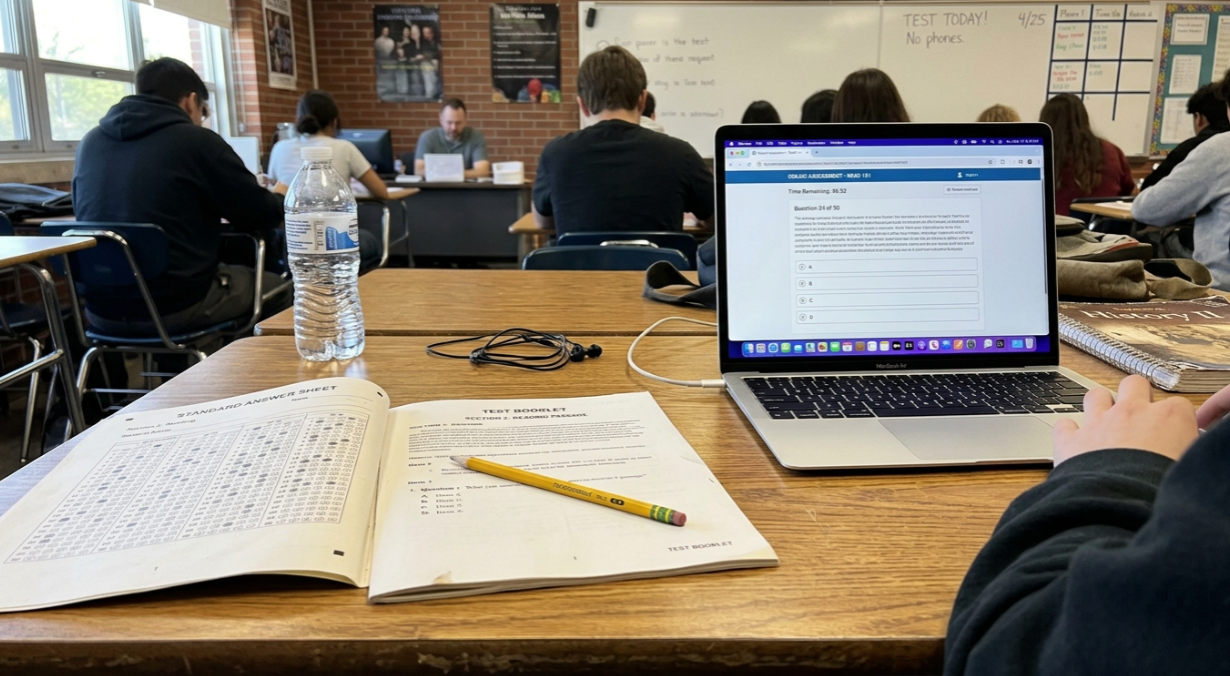
| Feature | Paper SAT (Pre 2024) | Digital SAT Format (Current) |
|---|---|---|
| Duration | ~3 hours | 2 hours 14 minutes |
| Sections | 3 (Reading, Writing & Language, Math) | 2 (Reading & Writing combined, Math) |
| Total Questions | 154 | 98 |
| Passage Length | 500 to 750 words, multiple questions each | 25 to 150 words, one question per passage |
| Calculator Policy | Allowed on one Math section only | Allowed on all Math questions |
| Adaptive? | No (static form) | Yes (section adaptive) |
| Score Delivery | 3 to 5 weeks | ~2 weeks |
| Delivery | Paper booklet + bubble sheet | Bluebook app on laptop/tablet |
One misconception worth addressing: shorter does not mean easier. The digital SAT format compresses the same reasoning demands into less time, and the adaptive mechanism adds a strategic layer the paper test never had. For a detailed comparison of difficulty levels, see is the digital SAT harder.
How Is the Digital SAT Scored?
The Digital SAT uses a 400 to 1600 total score scale:
| Score | Range |
|---|---|
| Reading and Writing | 200 to 800 |
| Math | 200 to 800 |
| Total SAT Score | 400 to 1600 |
The SAT uses an adaptive scoring model based on Item Response Theory (IRT). Your section score is not calculated simply by adding up the number of questions you answered correctly. The scoring process considers characteristics of the questions you answered, including their difficulty, as well as your overall pattern of answers.
This is why two students who answer the same number of questions correctly can sometimes receive different scores.
Is There a Penalty for Wrong Answers?
No. There is no deduction for an incorrect answer. If you don't know an answer, make your best choice rather than leaving the question unanswered. College Board specifically recommends trying your best on every question.
Scoring uses Item Response Theory (IRT) rather than a simple count of correct answers. Each question carries different weight based on its difficulty and how it fits into the adaptive framework. This means two students who answer the same number of questions correctly can receive different scores depending on which Module 2 they were routed to.
Every question should be answered, even if it's a blind guess. Wrong answers are not deducted from your score.
Score reports arrive approximately two weeks after each test date. The average SAT total score for the class of 2024 was 1024 out of 1600. For context on where various scores fall, our SAT score chart and percentiles guide breaks down the full distribution.
Understanding Your Score Report
When scores arrive, the report includes more than just a total number. You'll see your section scores (Reading and Writing, Math), subscores for each content domain, and a percentile ranking that compares your performance to other test takers.
The domain level breakdowns are especially useful for figuring out where to focus if you plan to retake the test. A student scoring 650 in Math might discover that Algebra questions are strong but Geometry and Trigonometry questions are dragging the score down. That kind of specificity makes targeted practice far more efficient than re studying everything.
Students using the SAT score predictor can get an estimate of where they're likely to land before taking the real test, which helps set realistic goals and calibrate study effort.
Can You Skip Questions on the Digital SAT?
Yes. You can skip a question temporarily and return to it later as long as you are still working within the same module. You can also mark questions for review and use the question menu to navigate around the module.
However, once the module ends, you cannot return to it. Because unanswered questions receive no advantage over guessed answers, make sure every question has an answer before time expires.
What Can You Do During a Digital SAT Module?
Within the current module, you can:
- Move forward and backward between questions.
- Change an answer before time expires.
- Skip a question and return to it later.
- Mark a question for review.
- Use Bluebook's built in tools.
- Answer every question, even if you need to guess.
You cannot:
- Return to a previous module after moving forward.
- Return to Reading and Writing after starting Math.
- Continue working on a module after its time expires.
The key rule is simple: you have flexibility within a module, but modules and sections are locked once you move past them.
Common Misconceptions About the Digital SAT Format
"One wrong answer in Module 1 will tank my score." False. Routing to the harder or easier Module 2 is based on your overall Module 1 performance, not any single question. Missing one hard question won't derail you.
"If Module 2 feels easy, I failed Module 1." Not necessarily. The "did I get the hard module?" panic is a universal test day experience on Reddit. Coaching practitioners point out that some students are routed to the easier Module 2 and simply performed at their natural level. Others misjudge difficulty in the moment. Panicking mid Module 2 over a routing decision already made accomplishes nothing except degrading your performance on the questions in front of you.
"The digital SAT is easier than the paper SAT." It's shorter, not easier. Reading passages are more compact but reasoning demands are concentrated. The adaptive scoring ceiling adds complexity the paper test never had.
"I can go back to Module 1 during Module 2." No. Once you advance past a module, it's locked.
"Bluebook practice tests perfectly match real test difficulty." Students on r/SAT frequently report that Bluebook practice tests feel slightly easier than actual test day exams, especially in Math. Supplementing with additional practice materials is worth considering.
"I need to memorize all the math formulas." The reference sheet in Bluebook provides key geometry formulas (area, volume, special right triangles, circle properties). You don't need to memorize those. But formulas for things like slope, midpoint, quadratic equations, and percent change are not on the reference sheet, so those do need to be committed to memory. The SAT geometry formulas guide breaks down exactly which formulas are provided and which you need to know.
Digital SAT Accommodations and Accessibility
Students with documented disabilities can apply for accommodations through College Board's Services for Students with Disabilities (SSD). Approved accommodations on the digital SAT include extended time (typically 50% or 100% more), extra breaks, a separate testing room, screen reader compatibility, and permission to use assistive technology.
The Bluebook app itself includes several accessibility features available to all students without needing formal approval: zoom, color contrast adjustments, and the line reader tool. Students who receive extended time will see their timer adjusted automatically within Bluebook.
One detail that sometimes gets overlooked: students approved for accommodations should still download Bluebook and complete a practice test with their accommodations enabled before test day. The extended time modules feel different from standard timing, and practicing under actual conditions prevents surprises. Applications for accommodations should be submitted well in advance (College Board recommends at least 7 weeks before the test date) since processing times vary.
How to Prepare for the Digital SAT Format
Understanding the format is the first step. Here's what comes next:
- Take a diagnostic to identify your strengths and weaknesses before building a study plan. This prevents the common mistake of studying everything equally.
- Practice on the Bluebook app to get comfortable with the interface, timer, and navigation. Format familiarity is as important as content mastery.
- Prioritize Module 1 accuracy. Since Module 1 performance determines your scoring ceiling, getting questions right in Module 1 is the single highest return investment of study time.
- Learn Desmos. Practice graphing equations, finding intersections, and checking answers visually. It's not optional anymore.
- Supplement with additional practice. Use SAT practice questions and full length exams beyond Bluebook to expose yourself to varied difficulty levels.
- Track your progress. Section by section analytics help you see which domains are costing you points and where gains come fastest.
For a structured approach to all of this, our digital SAT prep platform combines diagnostics, a 10,000+ expert reviewed question bank, full length practice exams, and a 24/7 AI tutor in one guided workflow.
Frequently Asked Questions
How long is the digital SAT?
The digital SAT takes 2 hours and 14 minutes of testing time, plus a 10 minute break between sections. Total time at the test center is roughly 2 hours and 30 minutes.
How many questions are on the digital SAT?
There are 98 questions total: 54 in Reading & Writing (27 per module) and 44 in Math (22 per module).
What does "section adaptive" mean on the digital SAT?
It means your performance on Module 1 of each section determines whether you receive a harder or easier Module 2. Each question does not individually adapt. Reading & Writing and Math adapt separately from each other.
Can I use a calculator on the entire Math section?
Yes. The Desmos graphing calculator is built into the Bluebook app and available for every math question in both modules. There is no "no calculator" section on the digital SAT.
Is there a penalty for wrong answers on the digital SAT?
No. Wrong answers are not deducted from your score. You should answer every question, even if you have to guess.
What score can I get if I'm routed to the easier Module 2?
The easier Module 2 caps your section score at approximately 560 to 600. To access the full 200 to 800 range, you need to perform well enough on Module 1 to reach the harder Module 2.
How quickly do digital SAT scores come back?
Score reports are typically released about 2 weeks after the test date, much faster than the 3 to 5 week wait for the old paper SAT.
Can I go back to previous questions during the digital SAT?
You can navigate freely within a module, including flagging questions and returning to them. However, once you complete a module and move forward, you cannot return to it.
What devices can I use for the digital SAT?
The SAT can be taken on a laptop (Windows or Mac), an iPad, or a school managed Chromebook. Phones are not permitted. College Board provides a full list of supported devices on the Bluebook website. If you don't have a compatible device, you can request to borrow one from College Board through your test registration.
Does the digital SAT have experimental questions?
Yes. Some questions on the SAT are pretest items that do not count toward your score. These are being field tested for future exams. You won't know which questions are pretest and which are operational, so treat every question as if it counts. College Board does not disclose how many pretest items appear on any given form.