
What to Bring to SAT: 2026 Digital Test Day Checklist
Miyagi Labs ·
What to Bring to SAT: 2026 Digital Test Day Checklist
TLDR
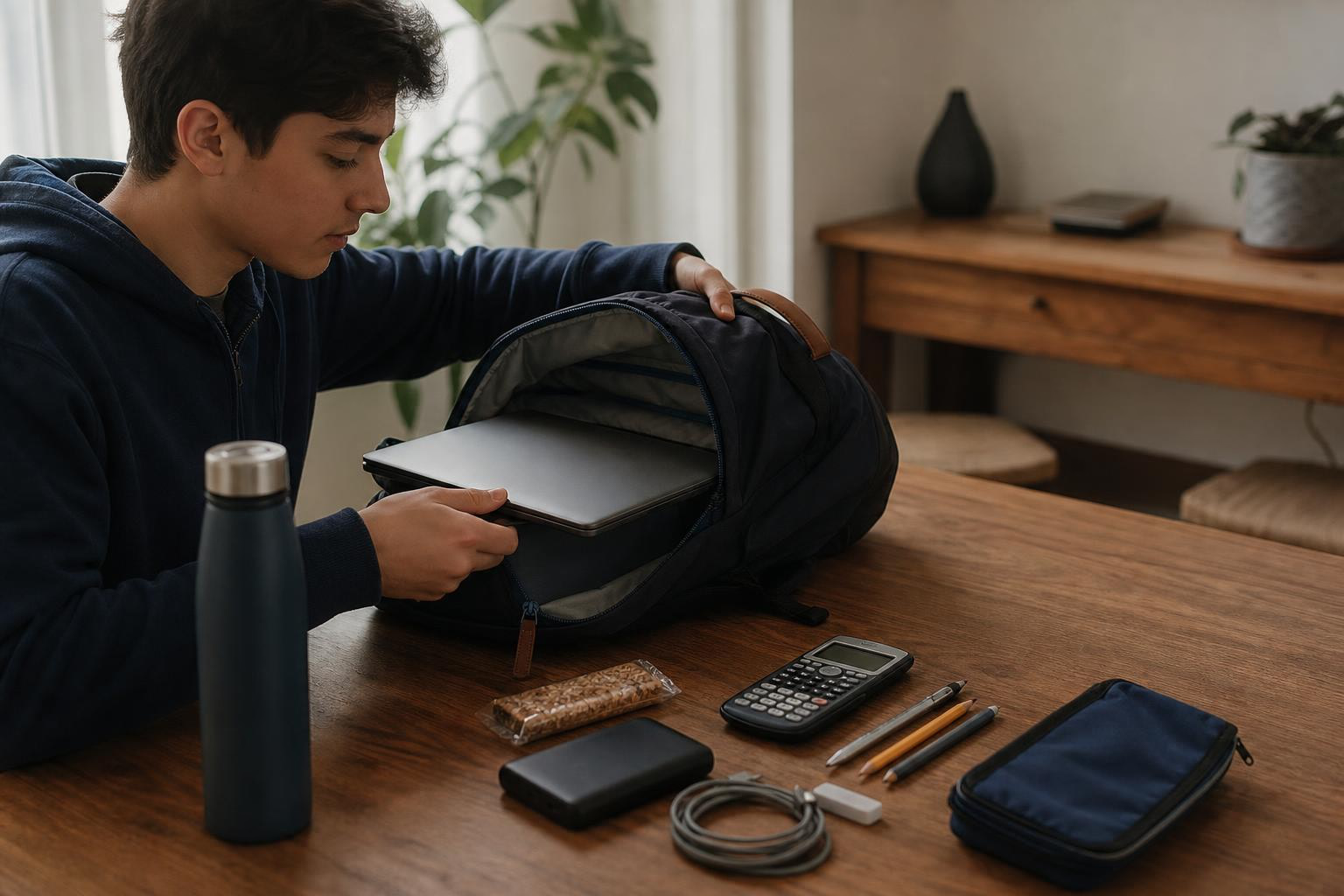
For the digital SAT, bring a fully charged device with Bluebook installed, your printed admission ticket, a physical photo ID, a pen or pencil for scratch work, your College Board login credentials, and an approved calculator if you want one. Also pack a charger, snack, water, and a simple watch. Do not access phones, smartwatches, Bluetooth earbuds, or notes during the test or breaks, as doing so can get your score canceled.
What to Bring to the SAT in 2026: Quick Answer
For the digital SAT, bring a fully charged, approved testing device with Bluebook installed and exam setup completed, your admission ticket, an acceptable physical photo ID, a pen or pencil for scratch work, and your College Board username and password. You may also bring an approved calculator, power cord or portable charger, external mouse, and other permitted supplies.
SAT Test Day Checklist
| Item | Required? | Important detail |
|---|---|---|
| Approved testing device | Yes | Must have Bluebook installed and exam setup completed |
| Admission ticket | Yes | Generated in Bluebook after exam setup; printed is preferred |
| Physical photo ID | Yes for applicable SAT Weekend test takers | Must meet College Board ID requirements |
| Pen or pencil | Yes | For scratch work; test center provides scratch paper |
| College Board username and password | Yes | You need them to sign in to Bluebook |
| Approved calculator | Optional | Bluebook includes a built in Desmos calculator |
| Power cord or portable charger | Recommended | Outlet access is not guaranteed |
| External mouse and mouse pad | Optional | Bring them if you normally use one |
| External keyboard | Optional | Allowed with tablets, not laptops or Chromebooks |
| Snack and water | Optional | Useful for the break |
| Simple watch | Optional | No smartwatch, alarm, or audible timer |
| Epinephrine auto injector or medication | If needed | Store in a clear bag under your desk |
| Extra calculator batteries | Optional | Prevents a dead calculator mid test |
Leave These at Home
Do not bring or access prohibited electronic devices during the test or breaks. This includes phones, smartwatches, smart glasses, fitness trackers, wireless earbuds, cameras, recording devices, separate timers, notes, outside paper, detachable privacy screens, and prohibited calculators. Some items may be permitted when required for an approved testing accommodation.
The most important preparation step is your testing device. Bluebook supports approved Mac and Windows devices, iPads, and school managed Chromebooks, and the device must meet College Board’s current technical requirements. For the SAT, College Board lists a minimum battery requirement of 3 hours, while its student guidance recommends bringing a power cord or portable charger because an outlet may not be available.
The 3 Things You Absolutely Cannot Forget
If you remember nothing else, make sure you have these three things ready:
- Your approved testing device with Bluebook installed and exam setup completed.
- Your admission ticket generated through Bluebook.
- Your acceptable physical photo ID, when required for your SAT administration.
Everything else is secondary. A missing device, incomplete Bluebook setup, missing ticket, or unacceptable ID can create a much bigger problem than forgetting a calculator or snack.
What to Bring to the SAT: Quick Checklist
Packing for the SAT used to mean grabbing a fistful of No. 2 pencils and a printed ticket. That era is over. The SAT is now fully digital, administered through College Board’s Bluebook app, and the most important thing you bring is a test ready device, not a pile of sharpened pencils.
If your test is tomorrow and you just need the list, here it is.
Required
- Fully charged approved device with Bluebook installed and exam setup completed
- Up to date admission ticket from Bluebook (printed preferred)
- Acceptable physical photo ID
- Pen or pencil for scratch work
- College Board username and password
- Approved calculator (optional but allowed)
Smart to bring
- Charger or portable charger
- Extra batteries for your calculator
- Snack and water for the break
- Watch without an audible alarm
- External mouse and mouse pad
- Backup testing device
- Bag or backpack
- Light jacket or hoodie
- Epinephrine auto injector or necessary medication (in a clear bag)
Do not bring or access
- Phone, smartwatch, fitness tracker, or smart glasses
- Bluetooth earbuds or headphones
- Separate timer
- Notes, books, or outside paper
- Detachable privacy screen
- External keyboard (for laptop/Chromebook users)
This checklist reflects the current digital SAT, which consists of 54 Reading and Writing questions and 44 Math questions over 2 hours and 14 minutes of testing time, not three hours as many outdated guides still claim.
If you still have time before your test date, building familiarity with the digital format matters as much as packing the right bag. Try a full length SAT practice test to simulate test day conditions on the device you plan to bring.
Now for the details behind each item.
Required Items for the Digital SAT, Explained
1. A fully charged testing device with Bluebook ready
This is the single most important thing to bring to the SAT. The entire exam runs inside Bluebook. No device, no test.
Bluebook works on Mac and Windows laptops, iPads, and school managed Chromebooks. Personal Chromebooks and phones cannot be used for testing. Your device needs at least 3 hours of battery life for SAT Suite assessments.
The key steps happen well before test morning:
- 30+ days before: Download Bluebook and run the “Test Your Device” check.
- 5 days before: Complete exam setup in Bluebook, which generates your admission ticket.
- Morning of: Reopen Bluebook, run the final device check, and sign in.
College Board recommends checking your device at least 30 days before test day and completing exam setup 5 days before. If you skip these steps, you may not have a working admission ticket when you arrive.
Practitioners on Reddit frequently surface confusion about this process. In one r/SAT thread, a student who had registered couldn’t locate their admission ticket. Replies pointed out that the ticket only appears after completing exam setup in Bluebook, not immediately after registration. Another thread showed a student asking whether they could switch from iPad to laptop after registering. The practical consensus: set up Bluebook and run the device check on the exact device you plan to bring.
When to Prepare Your Bluebook Device
At least 30 days before the SAT
- Download Bluebook.
- Check that your device meets the current technical requirements.
- Run a Bluebook practice test or test preview.
- Make sure you have access to an approved testing device.
- If you need a College Board loaned device, request one as early as possible.
1 to 5 days before the SAT
- Open Bluebook on the device you plan to use.
- Complete exam setup when it becomes available.
- Get your admission ticket.
- Print the ticket or email it to yourself.
- Verify your test center and test information.
Test day morning
- Turn on your testing device.
- Open Bluebook.
- Complete any final device checks.
- Bring the same device you prepared for testing whenever possible.
2. Your admission ticket
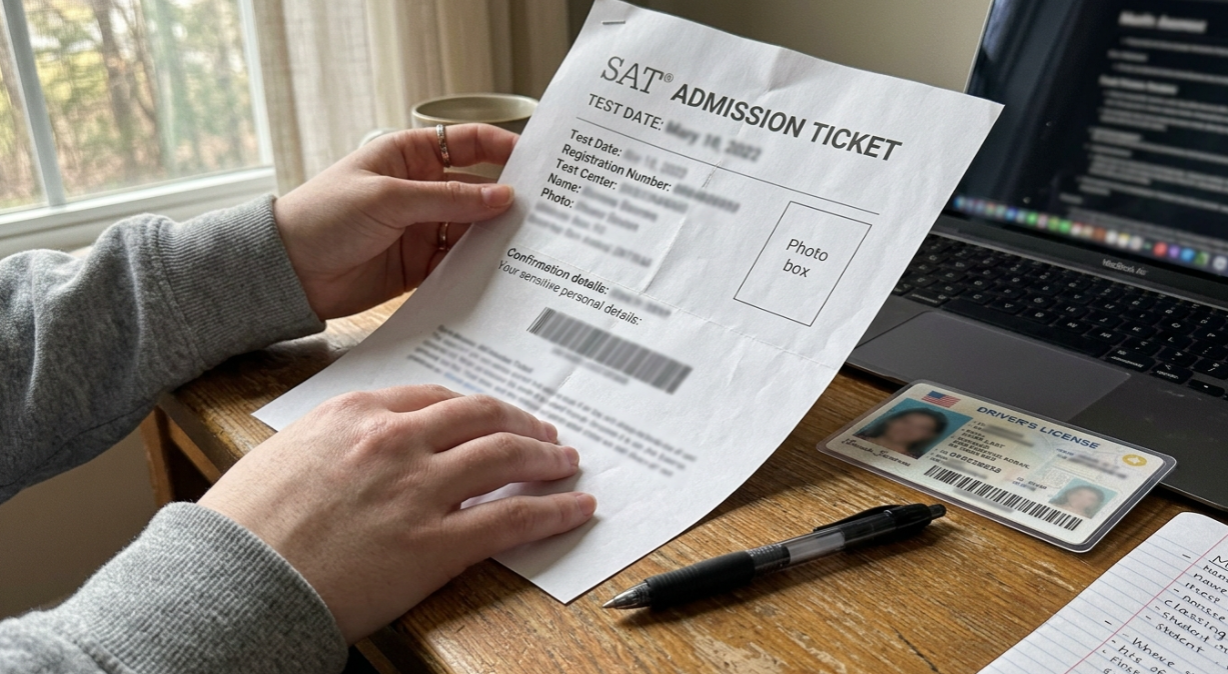
The admission ticket is generated inside Bluebook after you complete exam setup. It becomes available starting 5 days before the test. College Board says printed is preferred.
Print it if you possibly can. If your home printer is unreliable, email the ticket to yourself and print it at school or a library. Relying on a phone to show your ticket is risky because phones are prohibited devices that must be stored away before testing begins.
3. An Acceptable Physical Photo ID
Bring an acceptable physical photo ID when your SAT administration requires one. For SAT Weekend, check College Board’s current ID requirements before test day. For SAT School Day, an approved photo ID is required if you are homeschooled or testing at a school other than the one you normally attend. Digital IDs are not accepted.
Your ID should meet College Board’s requirements for the administration you are taking. Do not rely on a photo or digital copy of your ID stored on your phone.
Before test day, compare the name on your ID with the name associated with your SAT registration and admission ticket. If you are unsure whether your ID qualifies, check College Board’s current SAT ID requirements before arriving at the test center.
Quick ID Check
Before leaving home, confirm:
- Your ID is physical, not digital.
- The ID meets the requirements for your SAT administration.
- The name is consistent with your SAT registration.
- The photo clearly identifies you.
- You have the original document with you rather than a photocopy or phone photo.
4. Pen or pencil for scratch work
You do not need No. 2 pencils for bubbling answer sheets on the standard digital SAT. That’s paper test advice that many competing guides still repeat incorrectly.
All your answers are entered in Bluebook. Proctors provide scratch paper at the test center, and that paper is collected afterward. You bring a pen or pencil to write on it. Outside paper and notes are prohibited.
5. Your College Board username and password
You need these credentials to sign in to Bluebook. The app does not save your login for SAT Weekend exams, so memorize your username and password before test day.
If you store passwords in a phone based password manager, write your credentials down on a slip of paper the night before. Once your phone is stored away at check in, you won’t be able to access it.
6. Calculator: optional but useful if familiar
Bluebook includes an embedded Desmos calculator with both scientific and graphing capabilities. You are not required to bring a separate calculator.
That said, College Board encourages students to use the calculator they are familiar with on test day. If you’ve been practicing with a TI 84 for years and you’re faster on it for simple arithmetic, bring it. For a full breakdown of what’s allowed and what’s banned, see this guide on the SAT calculator policy.
Built In Desmos vs. Handheld Calculator
| Calculator option | Allowed? | Best for |
|---|---|---|
| Bluebook Desmos | Yes | Students comfortable with digital graphing and scientific functions |
| Approved handheld calculator | Yes | Students who already practice with a familiar calculator |
| No calculator | Allowed | Students who prefer to work without one |
| Phone calculator | No | Phones are prohibited devices |
| CAS calculator | No | CAS functionality is prohibited |
| Calculator with wireless capability | No | Prohibited under College Board’s calculator rules |
You do not need to bring a calculator just because the Math section allows one. Bluebook includes a built in calculator, and you can use an approved handheld calculator instead if you prefer. The best choice is the calculator you have already practiced using under timed conditions.
Important: CAS calculators are no longer allowed for any SAT Suite assessment. Calculators with QWERTY keyboards, wireless capability, cameras, or recording functions are also prohibited.
A tutor who sat for the digital SAT noted that the built in Desmos works well for complex graphing, but a familiar handheld calculator can save seconds on straightforward computations. Those seconds add up across 44 math questions. If you want tips on getting faster with the built in tool, check out these Desmos SAT tips.
If your SAT is still weeks away, now is the time to decide which calculator you’ll use and practice with it. Building that muscle memory matters. Here’s a guide on how to study for the digital SAT that covers building effective practice routines.
Helpful Extras to Bring on SAT Test Day
These items aren’t required, but they prevent the kind of small problems that snowball into big distractions.
Charger or portable charger. College Board says outlet access is not guaranteed at every test center. A portable battery pack eliminates the risk of your laptop dying during the Math section. Charge it fully the night before.
Extra batteries for your calculator. If you’re bringing a handheld calculator, toss a spare set of batteries in your bag. A calculator that dies mid section means scrambling to switch to the Desmos tool you may not have practiced with. AAA or AA batteries weigh almost nothing and could save you real stress. This is especially easy to forget if you’ve been using the same calculator all year without changing batteries.
Backup testing device. College Board lists this as “nice to have.” If your primary device crashes, you can switch to a second device with proctor and tech support help.
External mouse and mouse pad. College Board allows mice, and the SAT School Day guidance specifically recommends a wired mouse and mouse pad for students who use one. First time test takers on Reddit recommend this too, particularly for laptop users who find trackpads slower and less precise for clicking through Bluebook’s interface.
External keyboard. Allowed only with tablets, not with laptops or Chromebooks. If you’re testing on an iPad, a keyboard can help.
Snack and water. There’s a 10 minute break between the Reading and Writing section and the Math section. Eat something. A granola bar and a water bottle are enough.
Simple watch. Bluebook has a built in timer you can show or hide, so you don’t strictly need a watch. But a basic analog or digital watch (no audible alarm, no smartwatch) can help you keep track of time during the break.
Light layer of clothing. Testing rooms range from comfortable to freezing. A hoodie or light jacket takes up almost no space and can make a real difference if the AC is cranked.
Epinephrine Auto Injectors and Medication
Students who carry an epinephrine auto injector (like an EpiPen) or other essential medication can bring it into the testing room. College Board’s policy allows medically necessary items. Store the auto injector in a clear, transparent bag and keep it under your desk where it’s accessible but not disruptive.
This applies to other critical medications too, such as inhalers or insulin supplies. You don’t need a separate accommodation approval for carrying life sustaining medication, but if you want to be certain, contact College Board’s Services for Students with Disabilities or your test center coordinator before test day. Proctors may ask to visually inspect what’s in the bag during check in.
A few practical tips from parents and students who’ve navigated this:
- Label the auto injector clearly with your name.
- Use a bag that’s fully transparent, not just a ziplock with writing on it.
- Let the proctor know during check in rather than waiting for them to spot it.
- If you also carry antihistamines alongside the auto injector, keep those in the same clear bag.
Nobody should skip a test because they’re worried about bringing necessary medication. Plan for it, communicate with test staff, and focus on the exam.
What Not to Bring to the SAT
Some of the biggest SAT test day problems come from bringing or accessing items that College Board prohibits.
| Item | Allowed? | What to know |
|---|---|---|
| Phone | No | Do not access it during testing or breaks |
| Smartwatch | No | Includes smartwatches and other wearable technology |
| Smart glasses | No | Smart or internet/AI enabled eyewear is prohibited |
| Fitness tracker | No | Leave it at home |
| Wireless earbuds | No | Bluetooth and other wireless audio devices are prohibited |
| Headphones/earbuds | Generally no | Exceptions may apply for approved accommodations |
| Outside scratch paper | No | Testing staff provide scratch paper |
| Notes or books | No | Reference materials are prohibited |
| Separate timer | No | Bluebook provides the test timing |
| Detachable privacy screen | No | Prohibited |
| Electronic stylus | No | Apple Pencils and other electronic writing instruments are prohibited |
| Prohibited calculator | No | Check College Board’s current calculator policy |
| External keyboard with laptop | No | External keyboards are allowed with tablets, not laptops |
| Simple watch | Yes | It cannot beep, make noise, or have an alarm |
College Board’s current testing rules prohibit electronic and communication devices, outside papers and notes, separate timers, detachable privacy screens, electronic writing instruments, and other listed items. Approved accommodations can change some of these rules.
For a deeper look at common test day errors and how to avoid them, read this guide on SAT test day mistakes.
Can You Bring Your Phone to the SAT?
The safest approach is to leave your phone at home whenever possible.
If you need your phone for transportation or another practical reason, follow the test center’s instructions for storing it. Do not access it during the test or breaks. College Board prohibits phones and other electronic devices during testing and breaks, and a prohibited device that makes noise or is accessed can lead to dismissal and score cancellation.
Do not assume that turning your phone off makes it safe to keep at your desk. The important rule is that the phone must not be accessible or used when prohibited.
Before entering the test room:
- Turn off or silence your phone according to test center instructions.
- Store it exactly where staff tell you to store it.
- Do not check it during the break.
- Do not retrieve it until you are dismissed.
Bluetooth earbuds and headphones. Prohibited unless you have an approved accommodation for embedded text to speech, which requires wired (non Bluetooth) headphones.
Separate timers. Bluebook handles all timing. Standalone timers are banned.
Notes, books, and outside paper. Scratch paper is provided. Bringing your own notes or reference materials is not allowed.
Privacy screens. Detachable privacy screens are prohibited. If your laptop has a built in privacy filter that can’t be removed, check with College Board in advance.
Prohibited calculators. Any calculator with CAS functionality, a QWERTY keyboard, wireless or internet capability, a camera, recording features, or a paper tape is banned. Calculator phone apps are also not allowed.
What to Do Before SAT Test Day: A Prep Timeline
Knowing what to bring to the SAT is only half the picture. The digital SAT requires preparation steps days and weeks before you walk into the test center.
30+ days before
- Confirm your device meets Bluebook requirements.
- Download Bluebook and run “Test Your Device.”
- If you don’t have access to a compatible device, request a loaned device from College Board at least 30 days before test day. Approval is not guaranteed.
- Begin or continue targeted practice. If you need a structured plan, a 30 day SAT study plan can help you prioritize the highest value skills in the time remaining.
5 days before
- Open Bluebook and complete exam setup.
- Generate and print your admission ticket.
- Confirm your name, test center, and test date are correct.
- Take a final practice exam on the same device you’ll bring, under timed conditions.
Night before
- Charge your device and calculator fully.
- If you’re bringing a handheld calculator, check the battery level or swap in fresh batteries.
- Pack your bag: physical ID, printed ticket, pen or pencil, charger, snack, water, calculator, mouse, watch, medication if applicable.
- Disable notifications and close unnecessary apps on your testing device.
- Confirm your route to the test center and set an alarm.
- Write down your College Board username and password.
Morning of
- Reopen Bluebook and run the final device check.
- Sign in and check for any last minute messages or test center updates.
- Leave early enough to check in by 7:45 a.m. (or whatever time your admission ticket specifies).
- If you’re using a College Board loaned device, arrive by 7:15 a.m. to pick up the device, sign in, and complete setup.
SAT Weekend vs. SAT School Day: What Changes?
Many students taking the SAT during a school day wonder whether the same packing list applies. The short answer: mostly yes, with a few differences.
| Topic | SAT Weekend | SAT School Day |
|---|---|---|
| Device | You prepare your own device, use a school managed device, or use an approved College Board loaner | Your school may provide devices or run a readiness check |
| Admission ticket | Generated in Bluebook after exam setup, 5 days before | Procedures may differ; schools may use sign in tickets |
| Photo ID | Required | Required only if testing somewhere other than your regular school |
| Setup | You complete exam setup 1 to 5 days before | School may hold a readiness check; you may complete setup independently |
| Arrival | Check your ticket; sample schedule says 7:45 a.m. check in | Follow your school’s instructions |
For SAT School Day specifics, College Board’s SAT School Day page covers device, ticket, and ID requirements for in school testing.
If your school is providing devices, you still need a pen or pencil, your own calculator if desired, and your College Board login. Don’t assume the school handles everything.
What Happens When You Arrive at the Test Center

Understanding the process helps you know why each item on the SAT packing list matters.
Step 1: Check in. Staff verify your admission ticket, photo ID, and roster entry. If anything doesn’t match, you may not be admitted. Doors close at 8:00 a.m. on a standard Saturday SAT, and students cannot be admitted once testing starts.
Step 2: Store prohibited devices. Test staff will either collect phones and other prohibited electronics or instruct you to store them away from your desk. Do not touch them again until testing is over.
Step 3: Set up in the testing room. A tutor who took the digital SAT described check in as a two part process: identity verification outside the room, then an electronic Bluebook check in inside the room. You’ll connect to the test center’s Wi Fi, open Bluebook, and wait for the proctor’s start code.
Step 4: Test. Each student is timed individually by Bluebook. You’ll complete two Reading and Writing modules (64 minutes total), take a 10 minute break when Bluebook tells you, then complete two Math modules (70 minutes total). The SAT totals 2 hours and 14 minutes of testing time.
Step 5: Deal with staggered timing. Because each student is timed individually, breaks and end times vary slightly within the same room. That same tutor noted this creates some ambient noise as students start and finish breaks at different times. Expect it, and don’t let it rattle you.
Step 6: Submit. Answers submit automatically when time expires. If submission fails due to a connectivity issue, Bluebook saves your work and gives you time to reconnect and resubmit.
Keep your ID with you during the break. You may need it to re enter the testing room.
Common Mistakes That Outdated SAT Guides Still Spread
Because the SAT went fully digital, a lot of older advice is now wrong. Watch out for these:
- “Bring No. 2 pencils for bubbling.” There are no bubbles to fill on the digital SAT. Bring a pen or pencil for scratch work only.
- “The SAT is three hours long.” Testing time is 2 hours and 14 minutes. With check in, setup, the break, and dismissal, plan to be at the test center for about 3 to 3.5 hours total, but the test itself is shorter than it used to be.
- “You need a calculator for math.” Bluebook includes Desmos. A handheld calculator is allowed but not required.
- “Print your admission ticket from College Board’s website.” The admission ticket is now generated inside Bluebook after completing exam setup. It’s not a PDF you download from a website the way it used to be.
- “Phones are fine if they’re turned off.” If a phone makes noise or is accessed during testing or breaks, you can be dismissed. “Off” is not enough. It must be stored away as instructed.
- “You can’t bring medication into the room.” Students with medical needs can bring epinephrine auto injectors, inhalers, and other necessary medication. Store them in a clear bag under your desk.
If your SAT is still a few weeks out and you want to make that remaining study time count, check out these SAT prep resources built around the current digital format.
Frequently Asked Questions
Do I need to print my SAT admission ticket?
Printed is preferred, according to College Board. The ticket is generated inside Bluebook after you complete exam setup, typically available 5 days before the test. Print it to avoid depending on a device that might have issues at check in.
Can I show a digital ID at the SAT?
No. College Board requires a physical, original photo ID. Digital IDs, photocopies, and photos of IDs on your phone are not accepted.
Can I bring my phone to the SAT?
You can physically bring it, but it is a prohibited device during testing and breaks. Staff will collect it or require you to store it away from your desk. If it makes noise or if you access it during the test or break, you can be dismissed and your score can be canceled.
Do I need a calculator for the SAT?
Not strictly. Bluebook includes a Desmos calculator with scientific and graphing modes. But you may bring an approved handheld calculator if you prefer, especially one you’ve practiced with. CAS calculators are no longer allowed.
Should I bring extra batteries for my calculator?
Yes. It takes almost no effort and prevents a genuinely frustrating scenario. If your calculator dies during the Math section, you’ll need to switch to the Desmos tool on the spot, which costs time and focus if you haven’t practiced with it.
Can I bring a mouse to the SAT?
Yes. College Board allows external mice, and SAT School Day guidance recommends bringing a wired mouse and mouse pad if you use one. Several test takers on Reddit recommend this for laptop users.
Can I bring my own scratch paper?
No. Scratch paper is provided at the test center and collected afterward. Bring a pen or pencil to write on it. Outside paper and notes are prohibited.
Can I bring an EpiPen or medication to the SAT?
Yes. Students who need an epinephrine auto injector, inhaler, or other essential medication can bring it into the testing room. Store it in a clear bag under your desk and let the proctor know during check in. You do not need a formal testing accommodation for life sustaining medication.
What time should I arrive for the SAT?
Check your admission ticket for the specific time. College Board’s sample Saturday schedule has check in at 7:45 a.m. and doors closing at 8:00 a.m. Students borrowing a College Board device should arrive by 7:15 a.m.
What if I don’t have a device for the SAT?
Try borrowing a compatible device from your school, a family member, or a friend. If that’s not possible for SAT Weekend, you can request a loaned device from College Board after registering, but you must do so at least 30 days before test day, and approval is not guaranteed.
Pack Light, Prepare Early
Knowing what to bring to the SAT comes down to three categories: what gets you admitted (ID, ticket), what keeps your device running (charger, battery), and what helps you stay comfortable during the break (snack, water, watch). Everything else either belongs in Bluebook already or doesn’t belong in the testing room at all.
The biggest risk isn’t forgetting a pencil. It’s showing up with an unprepared device, a missing admission ticket, or a phone that buzzes during Module 2.
Start early. Set up Bluebook days before the test. Run the device check. Print your ticket. Pack your bag the night before. Then walk in calm, knowing you have exactly what you need.
If your SAT is still on the horizon and you want to make sure your score is where it needs to be, try a SAT score predictor to identify which sections to focus on in the time you have left.